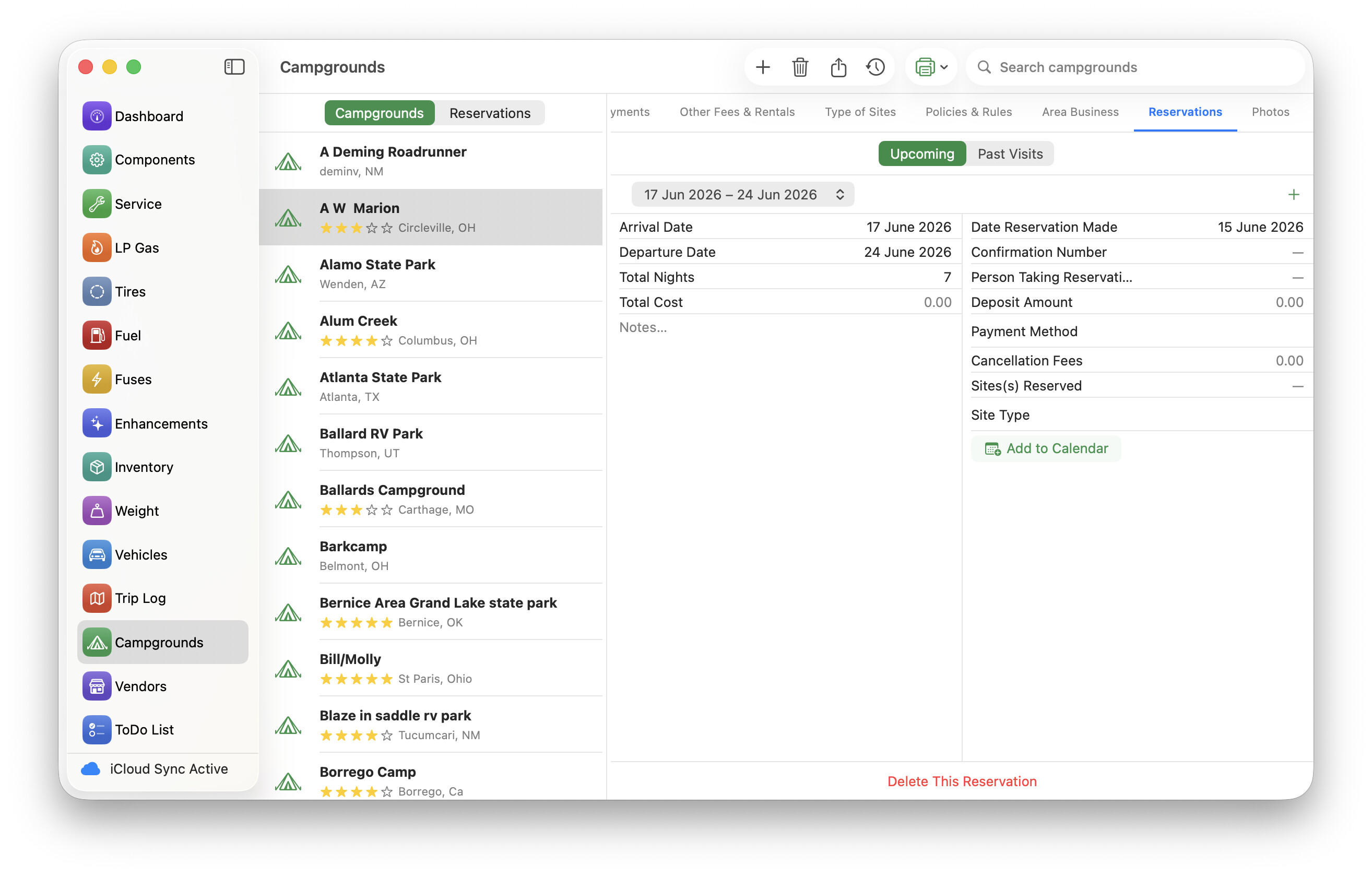
I just wanted to point out the improved Reservations tab after choosing a Campground, in v.4.0.7 of RVCare Logbook.
In the screenshot, you can see I’ve chosen the A W Marion campground, then I’ve selected Reservations. Now notice that there are two tabs: Upcoming and Past Visits. Furthermore, if there is more than one reservation (or one past visit), you’ll notice a popup menu with dates of each reservation, making it easier to browse through them.
The Add button remains, on the right hand side, so you can add further reservations if required. But the delete button has been moved to the bottom (it was a little too easy to tap Delete, when you intended to tap Add, as they were previously side by side!)
A couple more things to notice: there is now an “Add to Calendar” button. This adds any reservation right into the macOS or iOS Calendar app. This is particularly useful because if (like me) you have a shared calendar with your better half, he/she will also see the calendar update.
The way that Past Visits works has changed. If you remember, it previously required a user to manually click a button to move a reservation to the Visit History. Now, from v.4.0.7, reservations move automatically if the departure date is in the past - you no longer have to move them yourself.
Finally, in case you missed it, there is a button on the toolbar (to the left of the print button), which shows you visit history for all campgrounds.
I am also working on a really nice map display that shows you pins from all your visits (or at least the ones with good addresses/coordinates). Eventually, I’d really like to have a nice road trip map, that shows all the trips, stops, and campground stays for a particular adventure.
I hope this improves the Reservations tab within Campgrounds for you. Further suggestions are very welcome.